
File storage in Fkh (Freddy's Kubernetes Helper)
In my previous post I explained just-in-time database access in Fkh - Freddy’s Kubernetes Helper and promised to go into more detail about the file storage. This post does exactly that.
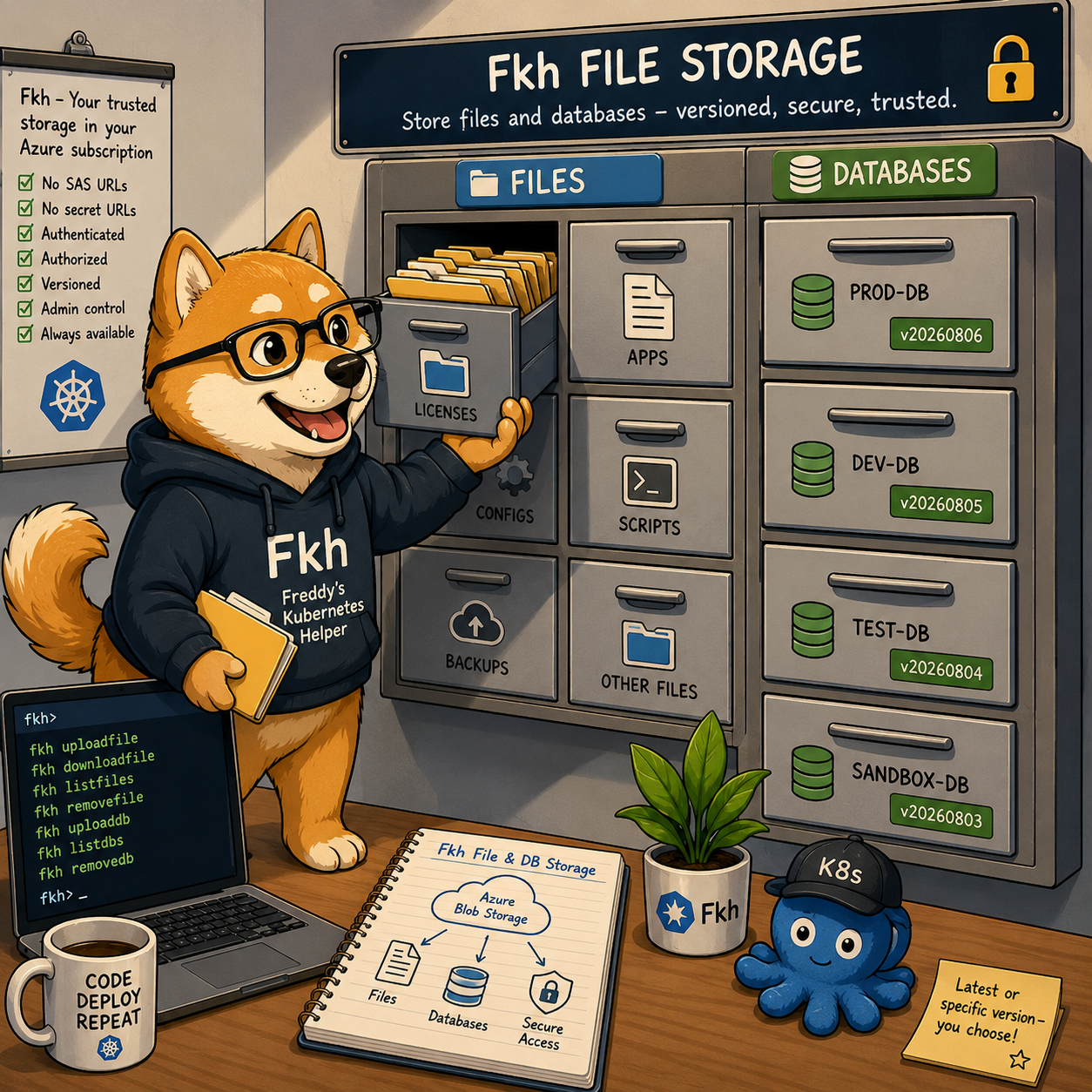
The Fkh file storage basically gets rid of SAS URLs or secret URLs — you have a trusted file storage that you can access wherever you need it.
Why file storage?
When you work with Business Central containers, there are always files you need to have around - license files, apps, configuration files, scripts, and much more. Rather than passing these around by hand or storing them in some ad-hoc location, Fkh gives you a proper, versioned file storage that lives in blob storage in your own Azure subscription.
Just like everything else in Fkh, you reach the file storage through the same authenticated and authorized channels - there are no standing credentials or public endpoints. Uploading and removing files are admin-only operations, while downloading and listing are available to the users who need them.
The storage is versioned. Every file is stored under a name, and each upload creates a new version under that name. A version manifest (all.json) keeps track of all versions and which one is the latest, so you can always grab the latest version or pin to a specific one.
The Fkh CLI
While most of Fkh is available directly from VS Code, the file storage commands are a great example of where the Fkh CLI shines - especially when you want to script things or use them from a pipeline.
Uploading a file
fkh uploadfile uploads a local file to blob storage and updates the version manifest (all.json) with all versions and the latest. This is an admin-only operation.
The key parameters are:
--localPath <file>(required) - path to the local file to upload.--fileName <string>(required) - the file name, used as the folder name in blob storage.--fileVersion <string>(optional) - a version label for this file, used as the blob name. If you don’t specify it, it defaults to the current UTC time asyyyyMMddHHmm.
fkh uploadfile --localPath ".\my.bclicense" --fileName "mylicense" --fileVersion "20260806"
If you leave out --fileVersion, Fkh will simply stamp it with the current UTC time, which is a nice way to keep a rolling history without having to invent version labels yourself.
Note: Files are not sorted by
fileVersion— it’s simply a tag, and the most recently uploaded file becomes the latest.
Downloading a file
fkh downloadfile downloads a versioned file from blob storage. You specify the file as blob/version, or just blob to use the latest version.
--file <string>(required) - the file to download, asblob/versionor justblobfor the latest.--output <string>(optional) - the file path to save the downloaded file to. Defaults toblob-versionin the current directory.
# Download the latest version of "mylicense"
fkh downloadfile --file "mylicense" --output ".\my.bclicense"

# Download a specific version
fkh downloadfile --file "mylicense/20260806" --output ".\my.bclicense"
Because you can always ask for just the name and get the latest version, scripts and pipelines can stay blissfully unaware of version labels while still getting the most recent file.
Listing files
fkh listfiles lists the uploaded files in blob storage. You filter with a name/version pattern where both sides support wildcards - * matches any characters and ? matches a single character. The version side also accepts the keyword latest.
--file <string>(optional, default*/latest) - the filter asname/version.
A few examples of what the filter can do:
*/latest(the default) - the latest version of every file.*/*- all versions of all files.name/*- all versions of a single file.my*/latestorlog??/*- pattern matching on both the name and the version.
# List the latest version of every file (default)
fkh listfiles

# List every version of every file
fkh listfiles --file "*/*"

# List all versions of the "license" file
fkh listfiles --file "mylicense/*"
Combine --asJson with these filters and you have a very scriptable way of inspecting exactly what is in your storage.
Removing a file
fkh removefile removes an uploaded file version from blob storage and updates the version manifest (all.json). Like uploading, this is an admin-only operation.
You specify the file as name/version, or just name to remove the latest version - in which case latest is repointed to the previous version.
--file <string>(required) - the file to remove, asname/versionor justnamefor the latest.--confirm- skip the interactive confirmation prompt (useful in scripts).
# Remove a specific version
fkh removefile --file "mylicense/20260806"

# Remove the latest version (latest repoints to the previous one)
fkh removefile --file "mylicense"

# Skip the confirmation prompt, e.g. from a pipeline
fkh removefile --file "mylicense/20260806" --confirm
The fact that removing the latest version automatically repoints latest to the previous version means you can safely roll back a bad upload without breaking anyone who is asking for the latest version.
And the same for databases
The file storage is only half the story. A very similar set of commands exists for databases - you can upload a database and then use it when creating containers, so that new containers come up with exactly the data you want.
This is a powerful building block: imagine restoring your online Business Central database once, uploading it to Fkh, and then spinning up containers based on that database whenever you need them. But more about this later.
As always, take a look at the project on GitHub: https://github.com/Freddy-DK/Fkh and please consider sponsoring me or setting up a support service agreement to keep this project alive and thriving.
Enjoy
Freddy