
New feature in Fkh: A KeyVault and secrets handling
This post is about a new feature that lands when you update to the latest preview - a KeyVault of your own and proper secrets handling in Fkh.
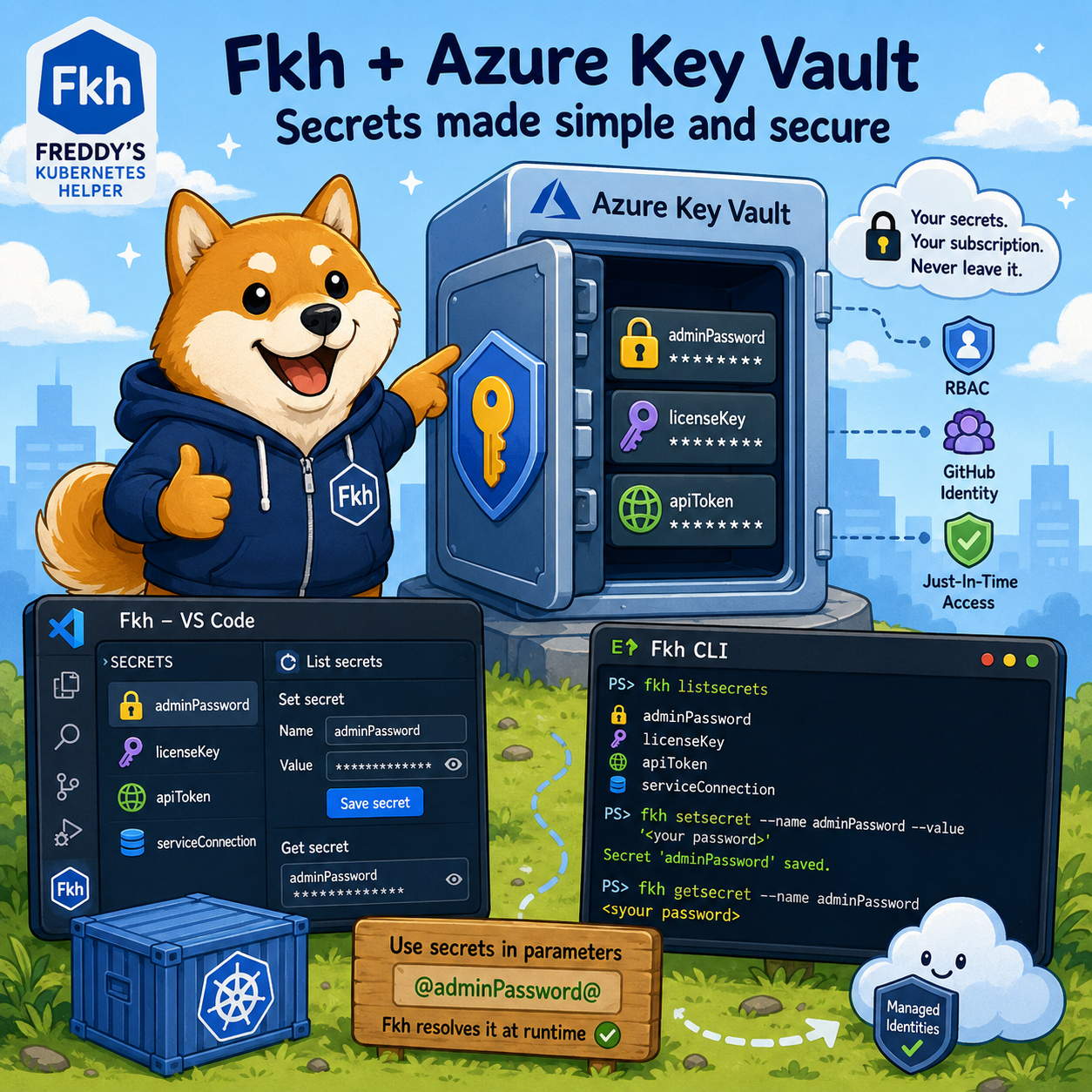
A KeyVault of your own
Up until now, Fkh has been very deliberate about not storing humanly created secrets. As I described in The security model of Fkh, everything runs on managed identities, federated credentials and just-in-time access - and that principle hasn’t changed.
What has changed is that there are situations where you genuinely need a secret. A container admin password is the obvious example, but there are plenty of others - license references, tokens for third party services, connection details you don’t want to type over and over again.
When you update to the latest preview, Fkh now deploys an Azure Key Vault as part of your deployment. Just like everything else in Fkh, it lives in your own Azure subscription, and that is where your secrets are stored - under your control.
Standard or Premium
The Key Vault comes in two flavours, and you get to choose which one you want when you deploy:
- Standard (the default) - a standard, software-protected Key Vault. This is more than enough for the vast majority of scenarios.
- Premium - backed by hardware security modules (HSM) for those who have compliance or policy requirements that mandate HSM-protected keys (needed if you want to use this for code signing).
You control this with a single configuration option in your deployment (keyvault_sku). If you don’t set anything, you get Standard, so there is nothing you have to do to get going.
Because it is RBAC-enabled and wired directly into the Fkh backend, you never have to hand out access to the Key Vault yourself. The backend authenticates and authorizes you exactly like it does for every other operation - GitHub for who you are, GitHub team membership for what you are allowed to do.
Managing secrets from VS Code
Once you are on the latest preview, you get three new operations to work with secrets, and they are all available right where you already work - in VS Code:
- List secrets - see which secrets exist
- Set a secret - create, update or remove a secret value
- Get a secret - read a secret value back
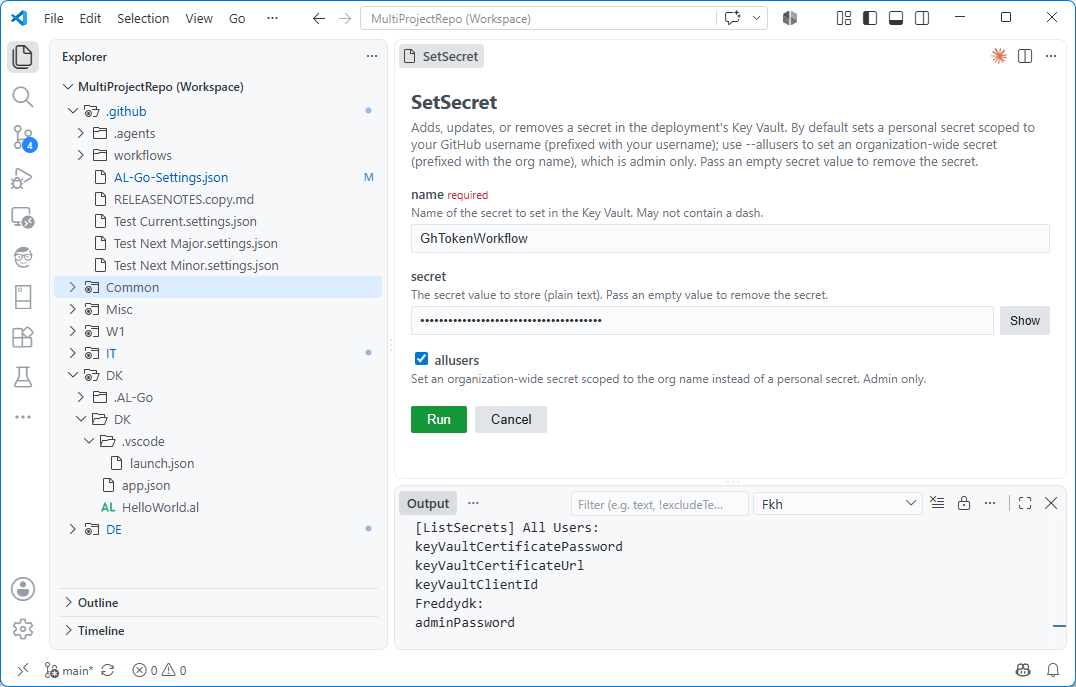
These are just Fkh commands, so you invoke them the same way as everything else - from the command palette or the Fkh views. When you set a secret, the value is stored in the Key Vault in your subscription; when you read one back, the value is fetched on demand.
Secrets can be your own personal secrets or shared across everyone in your organization, so admins can maintain a common set of secrets while individuals can override and/or have their own. When a secret is looked up, Fkh checks your personal secrets first and falls back to the shared ones.
…and from the CLI
If you prefer scripting - or you want to use secrets from a pipeline - the exact same operations are available in the Fkh CLI. As I explained in The Fkh CLI, the CLI and VS Code are just different faces on the same backend, so nothing new is happening here - it is the same functionality, exposed on the command line.
A few examples of what that looks like:
# List the secrets you have access to
fkh listsecrets

# Set (create or update) a secret
fkh setsecret --name adminPassword --secret (Read-Host "adminPassword")

# Read a secret back
fkh getsecret --name adminPassword
In a future version, you will also be able to use this KeyVault for your AL-Go repositories and have one single source for all your secrets, right in your own Azure Subscription.
Using secrets as values for parameters
Storing and reading secrets is useless in itself, you need to be able to use the secrets. This first version wires secrets into the parameters of the operations you already run.
Take CreateContainer as an example. Creating a container needs an admin password, and until now you had to provide it every time. With secrets in place, you can store the password once and then reference it in the parameter instead of typing the value.
Anywhere a parameter value is written as @secretName@, Fkh substitutes it with the corresponding secret from the Key Vault before the operation runs. So instead of putting a real password into the adminPassword parameter of CreateContainer, you simply put:
@adminPassword@
Fkh resolves @adminPassword@ to the stored value at the moment it creates the container. The same mechanism works for any parameter, not just adminPassword.
Defaulting parameters with secrets
As explained in Creating containers in VS Code using Fkh you can default parameters for container creation and also here, you can use secrets. If you specify:
"CreateContainer.adminPassword": "@adminPassword@"
In your AL-Go settings, the admin password will now be read from the keyvault and inserted right into the Create Container dialog and you can press the Show/Hide button to see the value.
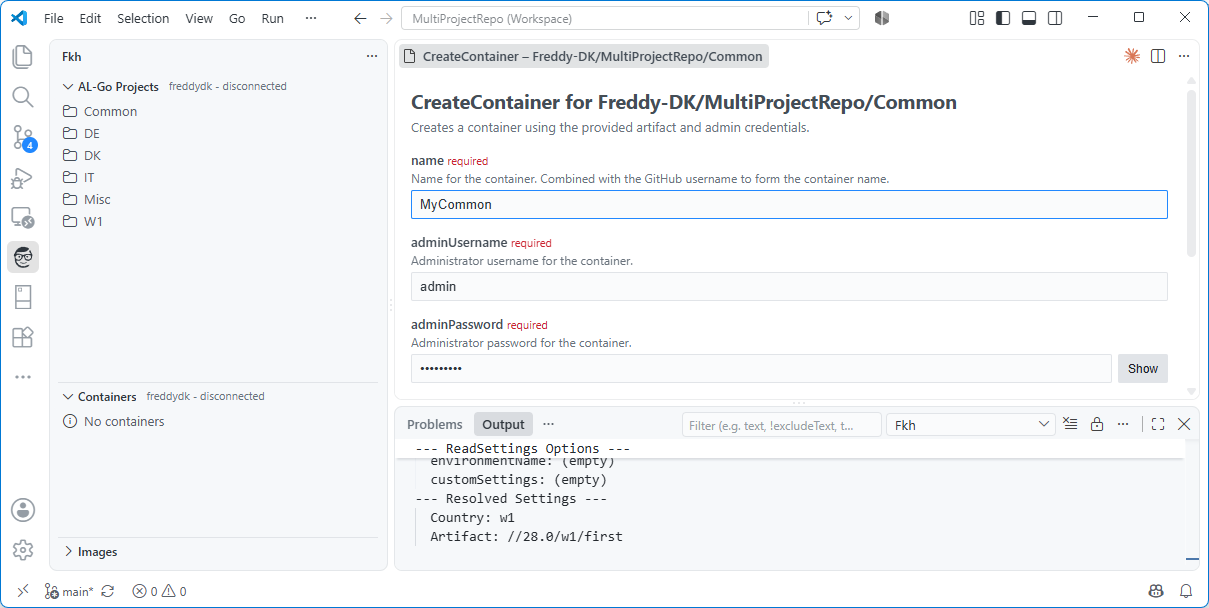
Note: If you haven’t set up the secret, the mandatory field will be there for you to fill out.
The foundation for more
As handy as list/set/get and parameter defaulting are on their own, the most interesting part is what this enables. Having a proper, trusted Key Vault in every Fkh deployment is the foundation for a couple of things I have on my mind:
-
Secrets handling for AL-Go for GitHub - letting Fkh act as the secure store that AL-Go for GitHub reaches into for the secrets it needs, so your pipelines can get what they need without secrets being copied around.
-
KeyVault access for containers - giving containers a controlled way to reach into the Key Vault, so an app running inside a container can consume secrets the same secure way. This actually comes from Issue 69.
And probably more scenarios will pop up. Neither of those is in this preview - this post is about the foundation that makes them possible. Whether and when they show up depends a lot on what partners and customers using Fkh actually need, so if this is interesting to you, let me know.
To use AI or not to use AI, that’s the question
During development of Fkh, I obviously use AI. I could have asked AI to solve Issue 69 - and I am fairly convinced that it would have found a way to fix that, but I am also convinced that AI wouldn’t do this the way I wanted it done, using a sound and reusable architecture, which can be used as the foundation for other things. AI has never before written a tool like Fkh - and it will probably never do so. It doesn’t understand the use cases, nor the complexity of this tool.
It isn’t any different from asking a very skilled junior developer with no experience to build a tool like this - they will fail.
I use AI as my team of engineers, who implement the features I have architected and described.
Update to the latest preview to try it out, and take a look at the project on GitHub: https://github.com/Freddy-DK/Fkh and please consider sponsoring me or setting up a support service agreement to keep this project alive and thriving.
Enjoy
Freddy