
The Fkh Web Client
In my previous post I showed how to open a terminal to one of your containers in Fkh - Freddy’s Kubernetes Helper. This post is about another one of the faces of Fkh - the Web Client.
A web client? Really?
At first glance it might seem a bit weird that Fkh has a web client at all. Most of the work happens in VS Code, some of it in the CLI - so why on earth would you need a web app on top of that?
The answer is that it is actually pretty handy. When the web client is installed and running on your phone, you can perform some tasks in Fkh right from your phone - without opening a laptop, without a terminal, without VS Code.

At Bunker Holding, every feature developed must be code reviewed and tested in a test environment. The process that for every Pull Request created, you can ask for a review from a consultant, which will trigger the generation of a test environment, which is using AAD authentication. No sharing passwords, no need to submit passwords, secure by design. These PR environments are also shut down at 18:00 every evening and the consultant doesn’t have VS Code and should certainly not need to install the Fkh CLI, so… a Web Client was born.
Why it is so simple
Just like every other interface to Fkh, the web client is only an interface. As I explained in The Fkh CLI, all the functionality lives in the backend, and every interface talks to that same backend.
That has two very concrete consequences for the web client:
- The authentication model is GitHub - the exact same GitHub authentication and group membership that the VS Code extension and the CLI use. There is nothing new to learn, no separate account, no extra secrets.
- All functionality is in the backend - the web client doesn’t implement any logic of its own, it just calls the backend and displays the result.
Because of this, the web client really is very simple. It doesn’t need to be clever - it authenticates you with GitHub, calls the backend, and the backend does all the authentication, authorization and validation exactly as it does for every other interface.
What can you do today?
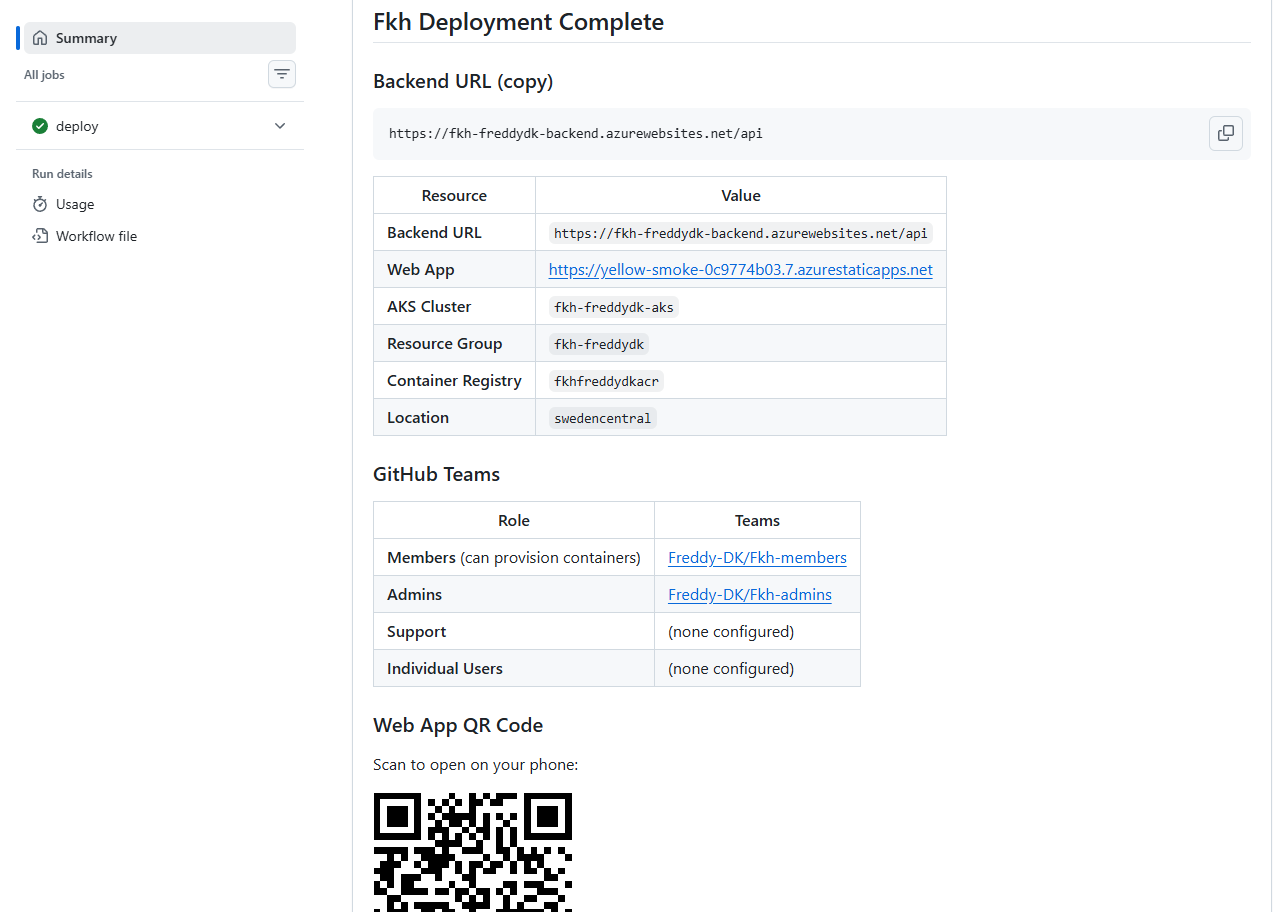
You find the URL to the Web Client when you deploy Fkh:
Right now, the web client is intentionally focused. You can:
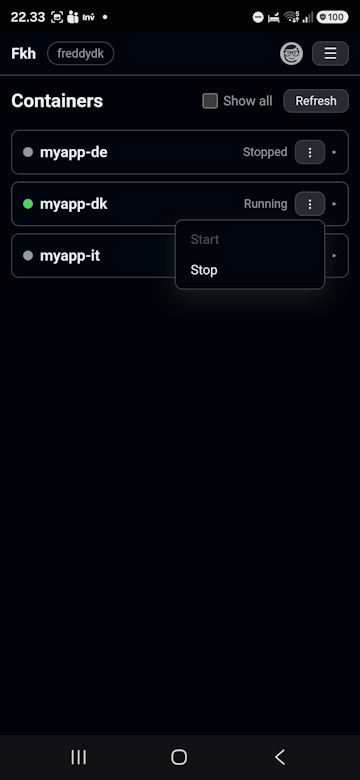
- Start and stop individual containers
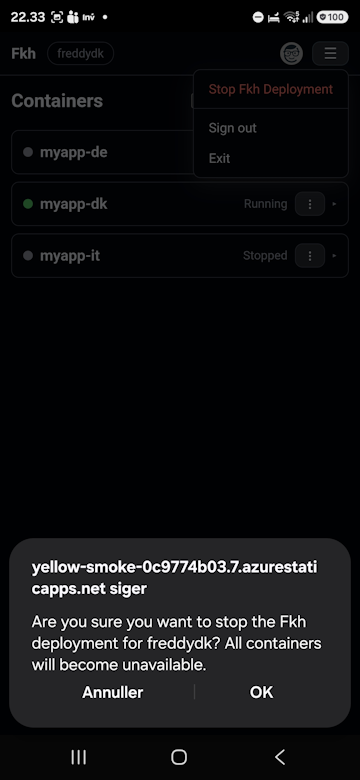
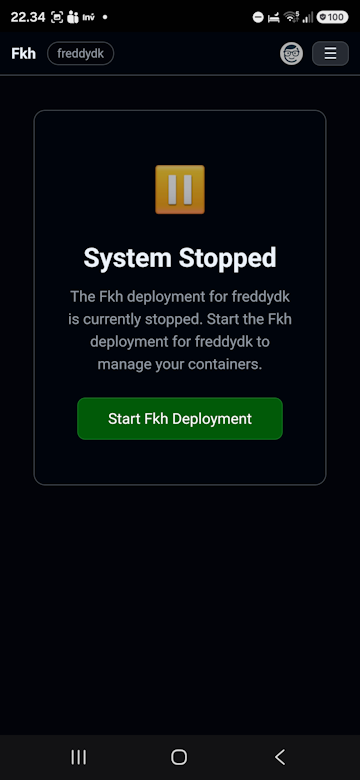
- Start and stop the entire Fkh cluster
That covers the scenarios where a phone is genuinely the most convenient tool - the quick “start this before my demo” or “stop everything, I’m done for the day” kind of tasks.
A few screenshots from my phone
3 containers, 2 stopped, one running with the option to stop it.
You can shut down the entire Fkh cluster to save money:
When the Fkh cluster is shut down, you can start it from your phone:
Who knows what the future holds
The web client is deliberately small today, but that doesn’t mean it stays that way. Because it is just another face on the same backend, adding functionality is mostly a matter of surfacing existing backend operations.
So today it is starting and stopping containers and the entire Fkh cluster - but who knows what is needed in the future. If partners and customers using Fkh find that they need more from their phone, it is easy to add.
Wrapping up
The web client is a small but handy addition to the Fkh family. It rides on the same principles as everything else in Fkh - GitHub for authentication, GitHub team membership for authorization, and one backend that does all the work. That is exactly what makes it so simple.
As always, take a look at the project on GitHub: https://github.com/Freddy-DK/Fkh and please consider sponsoring me or setting up a support service agreement to keep this project alive and thriving.
Enjoy
Freddy